Home / Games / Drive Mad Unblocked
Drive Mad Unblocked
The same physics driving game, playable when the usual portals are blocked — click the frame and drive, nothing to install.
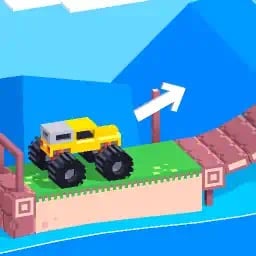
About Drive Mad Unblocked
Drive Mad is a free browser driving game played with two keys — left and right. If your school, office or Chromebook blocks the official version, you can play Drive Mad unblocked on this page: no download, no account, and it works in any modern browser on desktop, phone or tablet.
This page is for playing Drive Mad unblocked — the version you open when the normal one will not load. It runs the same physics driving game — car, ramps, collapsing bridges, instant restarts — inside this page, in your browser. Nothing to install, no account, no “open in app” detour.
What “unblocked” actually means here
School and workplace networks rarely judge a game on its content. They block whole categories, and the big game portals are the first domains to land on those lists. So a game that loads fine at home can refuse to open on a managed Chromebook in class, even though nothing about the game changed. Sites like this one are small and new, which usually means they are not on the blocklist yet — that is the entire trick behind “unblocked”. No proxy, no VPN, no browser extension: you load a domain the filter has not heard of, and the game comes with it.
That also means unblocking is not guaranteed forever. If your school adds this domain to its list, the page will stop loading there and there is no workaround from our side. What we can promise is that there is nothing shady going on: no hidden redirect, no install prompt, no request for your school account.
Playing on a school Chromebook
Managed Chromebooks are the most common place this page gets opened, and they are also the fussiest. Three things help:
- Use a normal tab, not an incognito one. School devices often disable incognito outright, and if it does open, the game may be blocked again by policy.
- Click the frame itself before touching the keys. The game needs focus before it will read your keyboard input. If the car ignores W and S, click once inside the frame.
- Turn the volume down first. The game starts with sound, and a classroom is a bad place to discover that.
On a phone or tablet the same page works, with on-screen buttons instead of a keyboard. The frame is portrait-shaped because Drive Mad is a portrait game; fullscreen makes the buttons easier to hit.
Why the game is worth the detour
Drive Mad gives you one strange vehicle per level and one job: reach the flag without flipping. What makes it stick is that the difficulty is honest. A bridge collapses because you were too heavy for it, a ramp overshoots because you carried too much speed into it, and a truck tips because you turned while it was still in the air. Nothing is random, so every crash teaches you something you can use on the next attempt — and attempts are free and instant.
Later worlds add falling rocks, seesaws, moving platforms and vehicles that have no business being drivable at all. The level list is long enough that finishing it is a genuine project, which is why so many people end up playing this during a free period instead of paying attention.
If the frame stays blank
Filtered networks sometimes throttle unknown domains, and the first load is the heaviest. Give the progress bar a few seconds, and once the level appears it is cached, so restarts are quick. Still blank after that? Reload the page and press Play again — the second attempt usually gets through. A hotspot is the reliable fallback if the network blocks the domain outright.
Finished this page and want more? See all 10 games like Drive Mad — 10 free games ranked by how close they feel to the original.
Drive Mad unblocked: worlds, levels and gold times
The game you reach from this page is the complete edition: three worlds and 250 single-player levels — Classic with 200, Winter with 25, and Monster Truck with 25 — which matches our Drive Mad levels guide if you want the breakdown. Every level hands out a trophy based on how fast you finish: cross the line under the gold time and you take the best rating, slower finishes still clear the level. Restarts are instant and unlimited, so the loop is simple — flip the car, hit R, adjust, try again. The difficulty curve is gentle for the first ten levels, then the ramps get longer, the bridges get flimsier, and the physics starts punishing greed over patience.
Four things you might see instead of the game
When a network blocks a game page, it almost always shows one of four things. A connection timeout or "site can't be reached" error means the firewall dropped the request silently — reloading will not help; try the unblocked route on a different network. A "site blocked" or category notice page is the filter announcing itself — that confirms the domain is tagged, and no amount of refreshing changes it. A blank frame with the page around it loading normally means the wrapper arrived but the game file did not — disable data-saver "lite" browsing modes or try another browser. Endless loading on the cover screen is usually a slow or filtered connection to the game's file host; waiting thirty seconds, then a hard refresh, settles most cases. If you are not sure which one you are seeing, take a screenshot of the error — it makes any conversation with your IT office twice as short.
Why schools and offices block game sites
Network filters do not judge individual pages; they block whole categories. A district firewall tags "games" or "arcade" domains and refuses the connection before the page even renders. That is why the official portal can load fine at home and time out at school — the block targets the domain, not the game. This page is an ordinary web page served over HTTPS that happens to host a browser game, so it loads wherever normal browsing is allowed.
Is it safe to play here?
There is nothing to install and no account to create. The game runs inside the page the way an embedded video would — no executable files, no launcher, no browser extension asking for permissions. We never ask for your name, email, or student ID; the comment box works with a nickname or no name at all. Standard common-sense advice applies anyway: play on sites you trust, close anything that demands an install to "unlock" a game, and never enter school credentials on a gaming page.
Playing on mobile data instead of the school network
If your plan allows a hotspot, that works too — the game itself is lightweight: a few megabytes to load and negligible data while you retry levels. The choice between data and the school network is about policy, not technical limits; the page behaves identically on both. On phones, landscape mode gives you a wider stage for the later levels, where the ramps get longer and the margins get tighter.
Rights and takedowns
Drive Mad is made by Martin Magni. This is an independent fan page that embeds a free browser edition; it is not the official site and we do not claim the game. If you hold rights to it and want it removed, our DMCA page explains how, and we act on it.
That is the whole idea of Drive Mad unblocked on this page: the full game, no detours, no installs — just the level that beat you last time, ready for one more try.
Controls
| Action | Keyboard | Touch |
|---|---|---|
| Accelerate | W or Up arrow | Right pedal |
| Brake / reverse | S or Down arrow | Left pedal |
| Tilt back (nose up) | A or Left arrow | Left tilt button |
| Tilt forward (nose down) | D or Right arrow | Right tilt button |
| Restart level | R | Restart icon |
How to play
- Click once inside the game frame so it can read your keyboard.
- Hold W or Up to accelerate — release early before ramps and drops.
- Tap A / D in the air to land on all four wheels.
- Brake with S before steep descents so you do not nose-flip.
- Reach the flag to unlock the next level; R restarts instantly.
Drive Mad is made by Martin Magni. This independent page embeds a free browser edition and is not the official website.
Questions people ask
Is Drive Mad unblocked here really free?
Yes. The game runs in your browser on this page, with no download, no account and no payment. There is no trial limit and no paywall hiding later levels.
Can I play it at school on a Chromebook?
That is what this page is for. It loads on managed Chromebooks as long as your school network has not blocked this domain. Click inside the game frame first, otherwise the keyboard will not reach the game.
Why does the game not load at school?
School filters block gaming domains by category, and the big game portals are blocked first. If this page also fails, the network has added this domain to its list — nothing on our side can bypass that.
Do I need a VPN or a proxy?
No. Nothing here asks you to install anything. If your network blocks the page, the honest answer is that it will not load — we do not offer a workaround that gets around school policy.
Does it work on a phone?
Yes. The game is portrait-shaped, so it fits a phone screen well. Use the on-screen buttons instead of a keyboard, and fullscreen if the buttons feel small.
Is my progress saved?
Progress is kept for the session in your browser. Closing the tab or switching devices starts you over, so treat a run as a single sitting.
Do I need to turn off my ad blocker to play?
No. The game loads without any ad being required. If the frame stays blank, the faster fix is to add this page to your blocker’s allow list rather than disabling the extension for every site — that keeps your normal browsing protected and the game running.
How do I ask my school’s IT admin to allow the game?
Be specific and realistic. Screenshot the exact error, check the game loads fine on home Wi-Fi (that proves it is the filter, not the site), then send both to your IT office or teacher with a one-line reason. Networks are the school’s decision — a clear request works far better than workarounds, and some filters have a simple review process.
Is it legal to play unblocked games?
Playing a browser game that a public website openly offers is not illegal. The real boundary is your school or workplace policy, which governs how you use their network — follow it, and if you are unsure, ask. We keep this page free, safe and account-free so that using it responsibly is easy.
Is this the same game as on the official portal?
Yes — same levels, same worlds, same physics. The differences are around the edges: no account or leaderboards, progress lives in your browser, and the game runs inside this page instead of a portal frame. Everything about how the car drives is untouched.
Comments
No comments yet — tell us how far you got.